


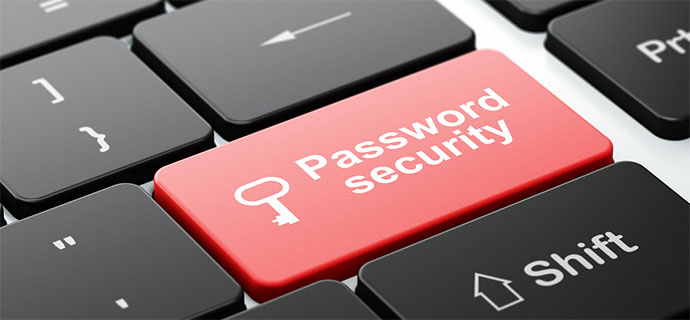
Passwords are not a particularly secure method of protection, and in a world where multifactor authentication is becoming the norm, talking about password hygiene seems a little outdated. However, according to the Verizon 2021 Data Breach Investigations Report, passwords are the route to data breaches in 61 percent of incidents.
In an ideal world, and increasingly in reality, every system or application containing vital information such as banking information, healthcare information, or business enterprise intellectual property is safeguarded using multifactor authentication. Good password hygiene is still essential for non-critical systems, such as smaller non-critical businesses or personal online accounts.
A few years ago, I was asked to comment on an Instagram customer account breach in which the attacker had obtained several usernames and passwords. “This is pointless,” I thought at first. Why should we worry if some Instagram users’ usernames and passwords have been compromised? What could possible go wrong? Then I realized that most folks repeat passwords. As a result, the same username or email address may be associated with a personal banking account as well as a corporate/work system containing intellectual property, VPN access, or even an Active Directory credential.
As a result, it’s critical to remember the following password essentials to keep your personal and professional data safe:
Tip #1: Never reuse passwords, or derivatives of the same password.
The practice of routinely changing passwords is becoming obsolete. M many systems no longer require frequent password changes. However, just because these systems no longer require password changes does not give you freedom to be careless when it comes to password use.
While cycling passwords or single-use passwords are particularly beneficial with highly privileged accounts, cycling a typical user password on a regular basis is far less valuable if a strong password is used initially.
Tip #2: Use complex passwords with at least eight characters.
Personally, I use a password manager that stores and inject passwords. There are several decent ones on the market, but make sure to use multifactor authentication to secure this personal password vault. I can program this system to generate passwords with up to 99 characters. Remember that you may need to physically input one of these passwords at some time, so using 99 characters, which is highly safe against password crackers, may be quite cumbersome. This is something I’ve learnt from experience.
When it comes to passwords, it’s crucial to strike the right balance; they need to be secure, but making them so secure that they leave the account in question completely inaccessible should not be the goal of any password manager.
Tip #3: Given the option – use a strong password and multifactor authentication.
Multi-factor authentication is a critical tool for ensuring the security of your passwords. They are not, however, a solution. When you use “Password1” as your password, don’t expect multifactor to safeguard your account. If the original password is weak, attackers will be encouraged. Because the account will be susceptible to more attacks, you have decided to leave the first security door unsecured. My best recommendation is to use an 8+ character password as well as multifactor authentication.
Passwords and their right selection/use are critical components in securing the corporate enterprise and its users through authentication. Users might think of their authentication/credentials as keys to the house. You wouldn’t give the key to anyone, and you should be very concerned about someone taking your keys, whether with malicious intent or not.
We can all do better. Unfortunately, the days of reading your username and password over the phone are not yet over. Even transferring them using ostensibly encrypted networks like WhatsApp is not recommended. These tactics would very certainly violate company security regulations — and if they aren’t, they should be.
Finally, if you want to ensure that your staff do not engage in such behavior, implement multifactor authentication for ALL of your user authentication needs.

- Machine Learning: Its Role in Cybersecurity - July 12, 2022
- The Deepfake Technology: A Rising Cybersecurity Threat - July 3, 2022
- Crypto is Cybercrime’s Currency of Choice - June 26, 2022








One Response
Reading your article helped me a lot and I agree with you. But I still have some doubts, can you clarify for me? I’ll keep an eye out for your answers.